ZoneGaze Flow is the local control surface for serious AI-assisted software work. It gives you a board for agent tasks, a runtime for launching work, isolated worktrees for safer execution, and review tools for inspecting changes before anything ships.
Use this guide when you want more agent throughput without losing the human review loop that keeps software teams credible.
Start Here
- Getting started
- Install and launch
- Core workflow
- Agent setup
- Review and ship
- Platform notes
- Troubleshooting
- Media gallery
- Media status
Reading Path
Use the docs in this order when you are setting up Flow for real project work:
- Start with Install and launch if the runtime is not already working.
- Use Getting started for the first small reviewed task.
- Use Agent setup before changing models, providers, plan mode, or per-task overrides.
- Use Core workflow when you need the full task lifecycle.
- Use Review and ship before committing, opening a PR, or archiving work.
- Use Troubleshooting whenever runtime, Android, terminal, Git, or agent state is blocked.
Quick Tour
Use ZoneGaze Flow when an agent needs to work on a real project and you still need control over scope, review, and Git state.
- Add or select a project.
- Create a work item on the board.
- Choose the agent, work type, base branch, and review behavior.
- Start the task and watch progress in the card, terminal, or task detail view.
- Review diffs and Git state.
- Commit, open a PR, move the task to Done, or archive it.
Watch the first-task walkthrough
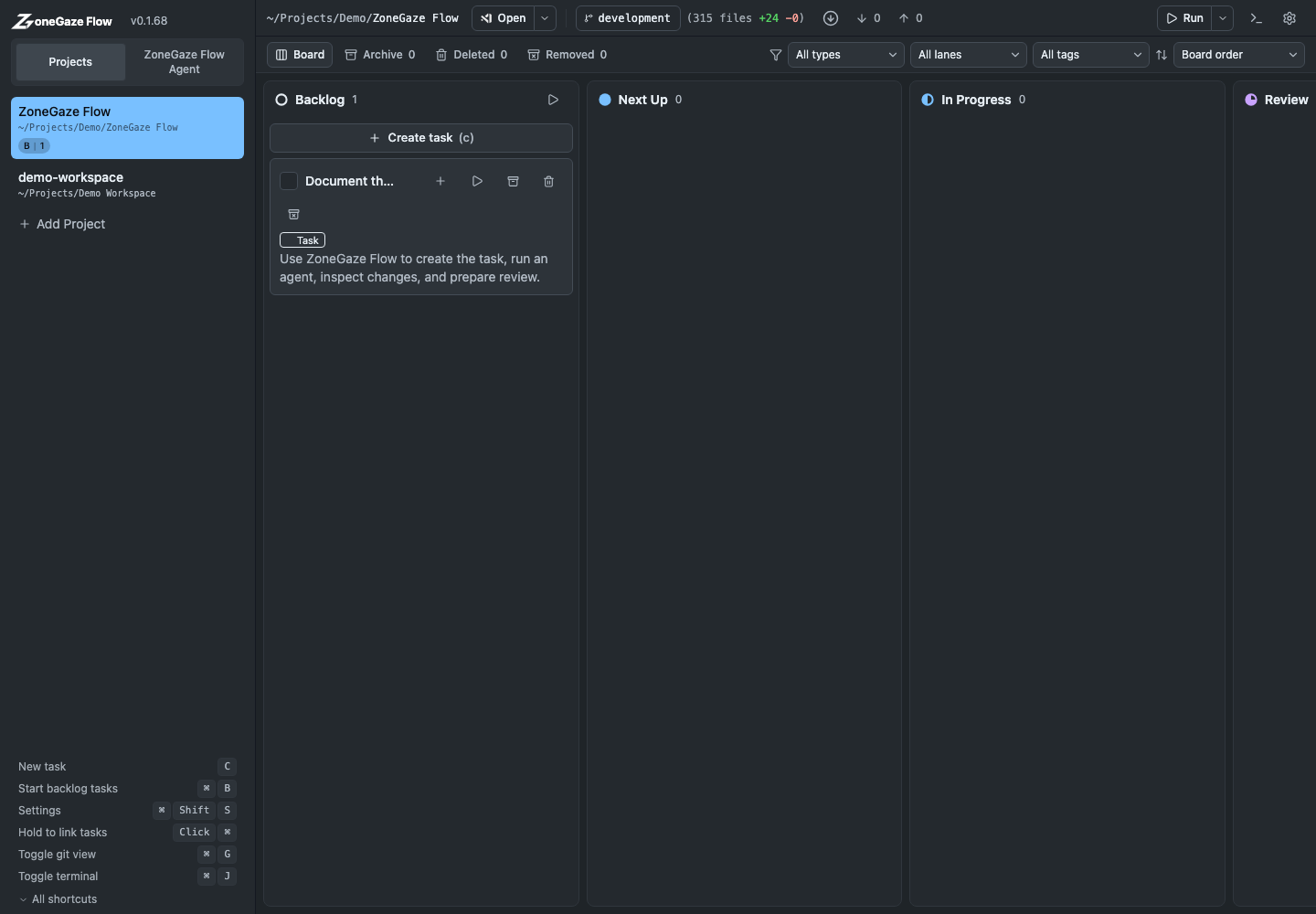
Workflow At A Glance
Flow keeps the full work loop visible:
- Define the card: project, task type, prompt, base ref, agent, plan mode, and review behavior.
- Start with intent: confirm settings in the task detail view before the agent runs.
- Monitor execution: watch card state, terminal output, file activity, and Git state.
- Review evidence: inspect diffs, validation output, browser-visible changes, and remaining risks.
- Close deliberately: commit, open a PR, move to Done, archive, or create a follow-up.
Main Concepts
- Projects: local repositories or workspaces that ZoneGaze Flow can open, inspect, and run against.
- Work items: cards that describe a task, story, subtask, or coordinator-style plan.
- Agents: local or connected coding agents that can work from the task prompt.
- Worktrees: isolated Git workspaces used for task execution when available.
- Review: the diff, file, terminal, and Git surfaces you use before shipping work.
Who This Is For
ZoneGaze Flow is built for developers, technical leads, and operators who supervise one or many coding agents. It is strongest when parallel agent work needs to move quickly while still producing evidence a human can review.
Media Evidence Routes
Use the media docs before making claims from screenshots or videos:
- Media gallery shows the complete web, Mac, and Android screenshot/video package.
- Media status explains what the captures show and what remains outside the capture.
- Platform notes separates web, Mac, Android preview, and CLI readiness.
Documentation Boundaries
These docs describe captured Flow behavior and setup guidance. They do not replace project review, repository policy, release approval, provider authentication, or support triage. Android language stays tied to captured preview evidence unless a separate release and support path is documented.
What To Read Next
If you are new, start with Getting started. If Flow is already installed, go straight to Core workflow.
Leave with a concrete next action.
Each doc page should end with a command, route, verification step, screenshot, or support packet users can act on.
Do not strand the reader.
Link to the next workflow page, install guide, troubleshooting, demos, downloads, or support depending on the page topic.