This guide gets you from first launch to the first reviewed Flow task. The goal is not just to run an agent; it is to prove that the agent can work inside a visible, reviewable loop.
Before You Start
Start with a project that can tolerate local agent work. The first task should be small enough to review in one sitting and specific enough that done is obvious.
Before creating the card, confirm:
- ZoneGaze Flow can open the local control surface.
- A supported agent is installed or configured.
- The project folder is the right repository or workspace.
- Git is clean enough that new agent changes will be easy to inspect.
- You know what local command, route, or manual check should prove the task.
1. Launch ZoneGaze Flow
Open the Mac app, Android app, or CLI entrypoint. Flow opens the local control surface and checks whether the runtime is available.
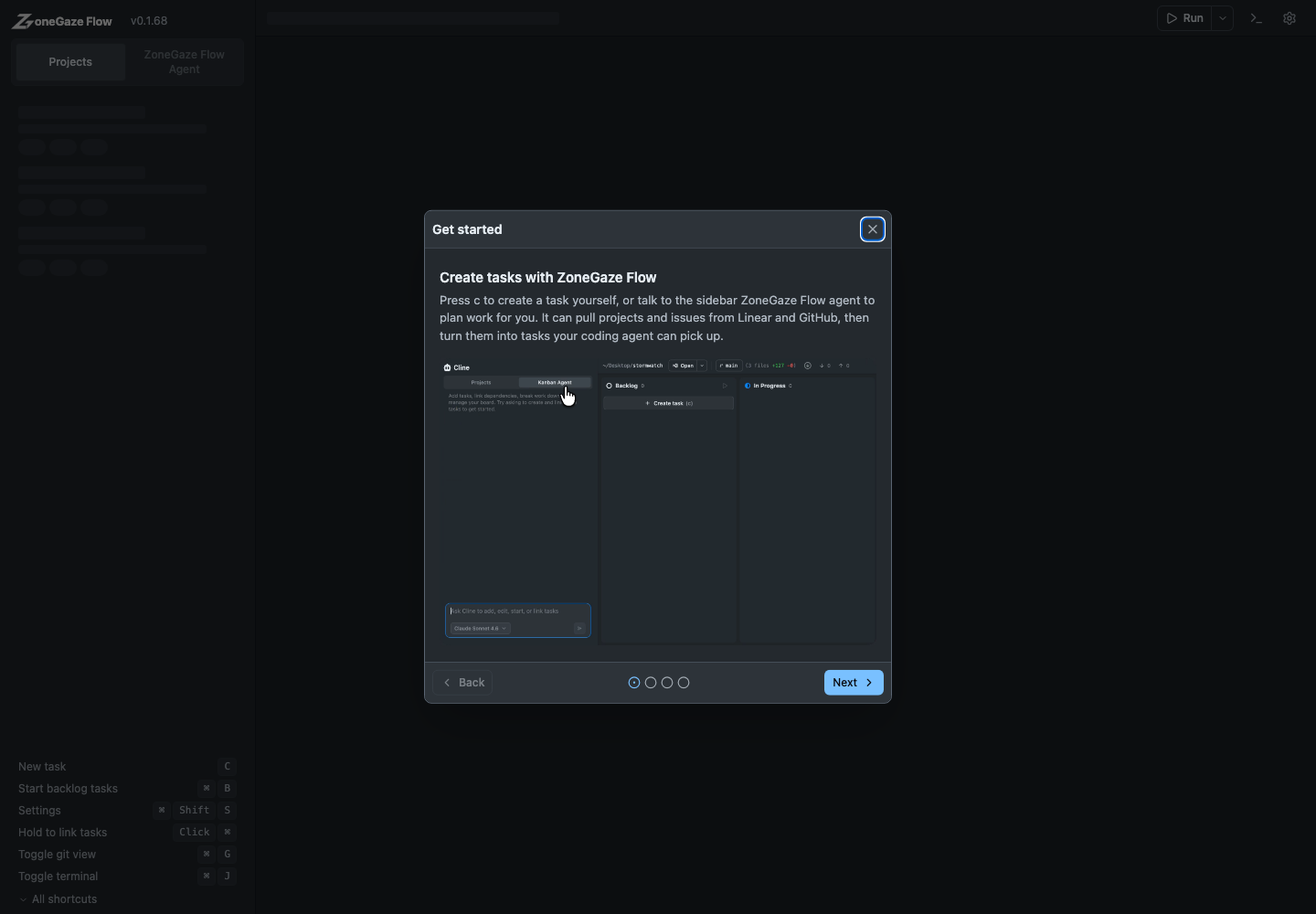
If Flow asks you to complete setup, follow the prompt before starting a task. A supported agent and the right project workspace are the two critical requirements.
2. Select A Project
The project sidebar shows available workspaces. Select the repository you want the agent to work in, or use Add Project to register another local folder.
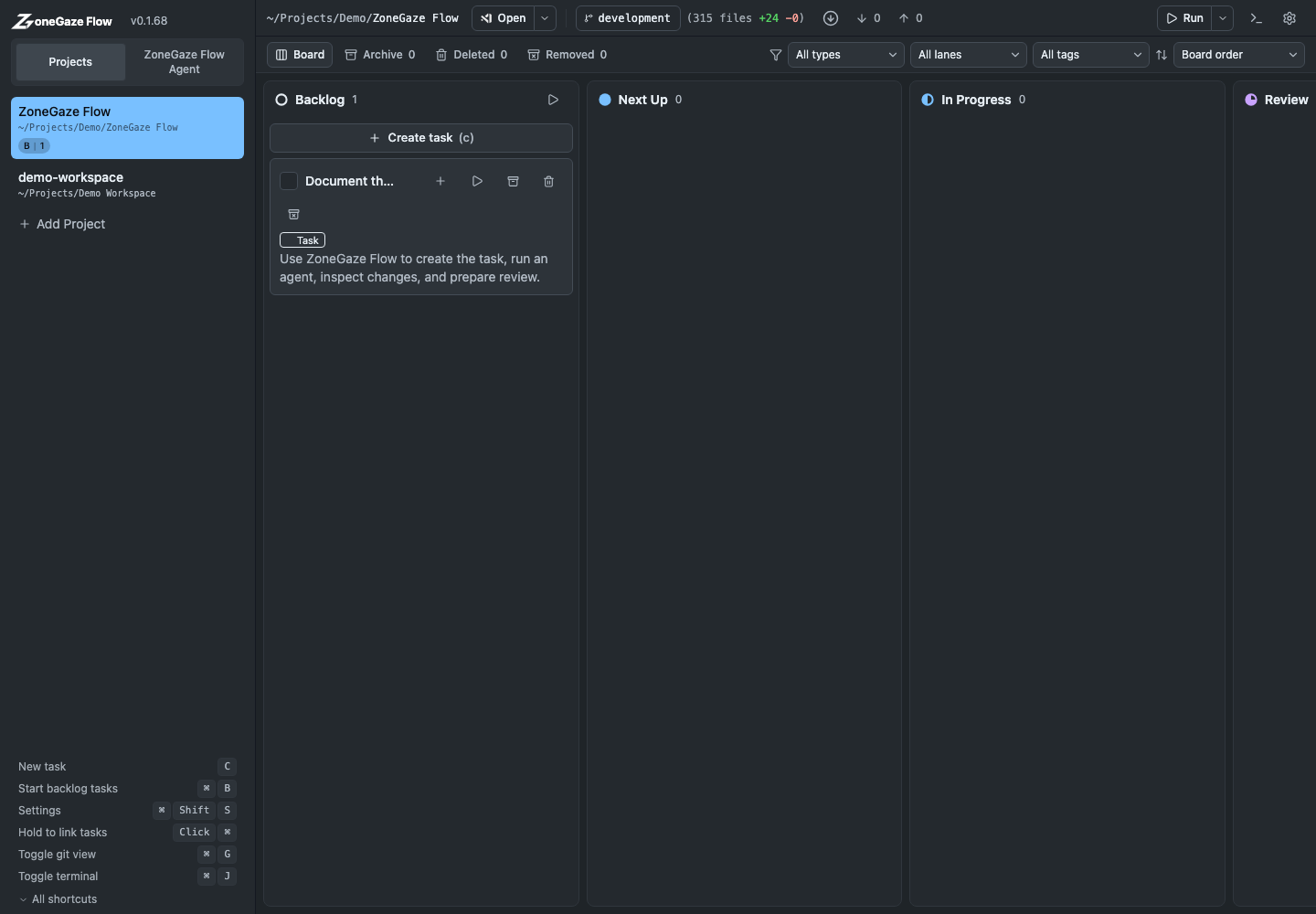
For best results, start from a clean Git state and confirm the expected base branch is current before handing work to an agent.
3. Create A Work Item
Click Create task in Backlog. Write a concrete prompt that explains the intended outcome, relevant constraints, and what counts as done.
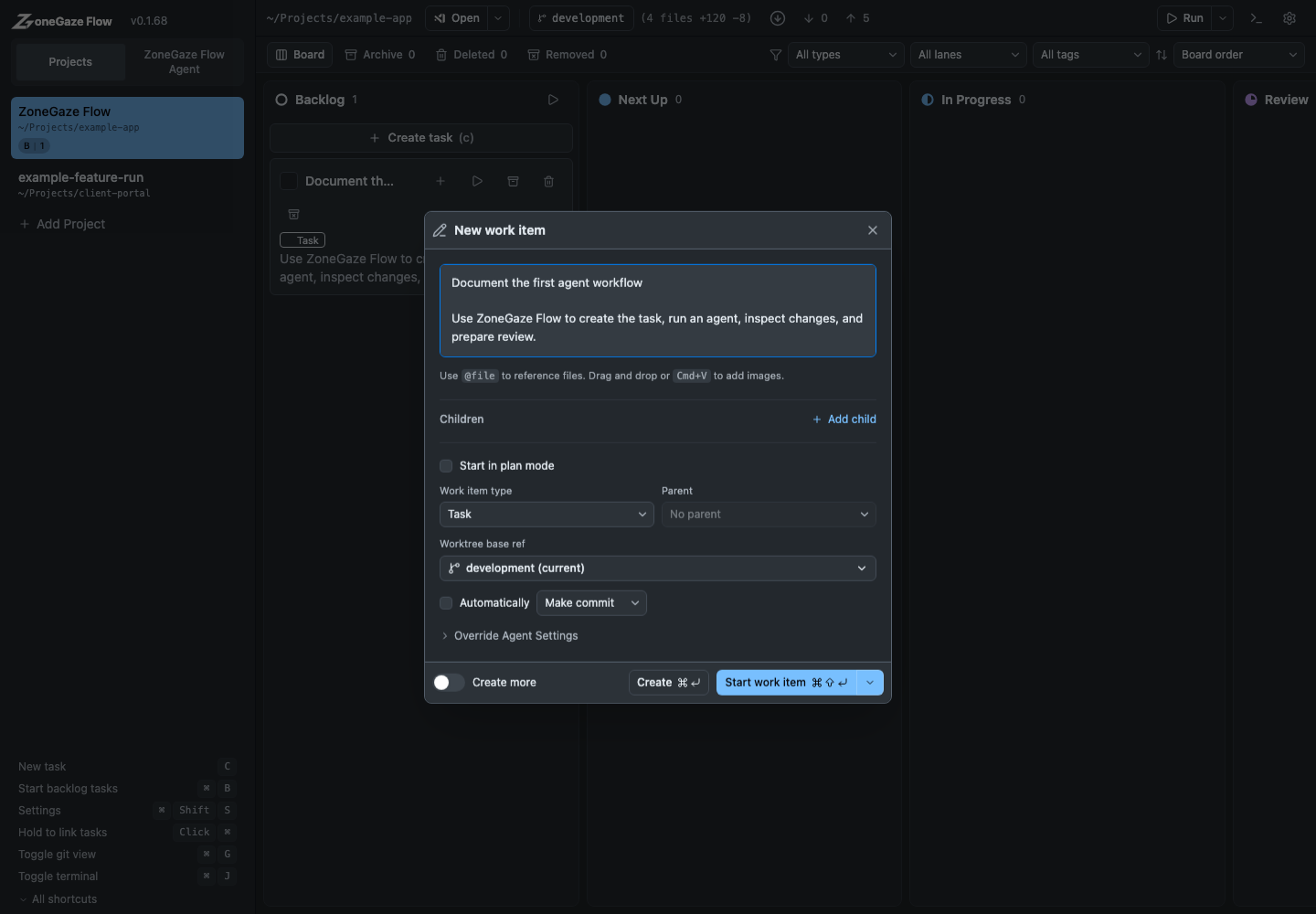
Good prompts include:
- the exact user-facing or technical outcome
- files, routes, commands, or context the agent should inspect
- validation you expect before completion
- limits, such as no deployment or no unrelated refactors
First Task Checklist
Use the first card to prove the loop, not to attack the largest backlog item. A good first task has:
- one visible outcome
- a clear project and base branch
- a narrow file or feature area
- an explicit validation command or browser check
- a stop condition that says what should stay out of scope
4. Review The Card
Open the card before starting it. Confirm the work type, parent task, base ref, plan mode, and review behavior.
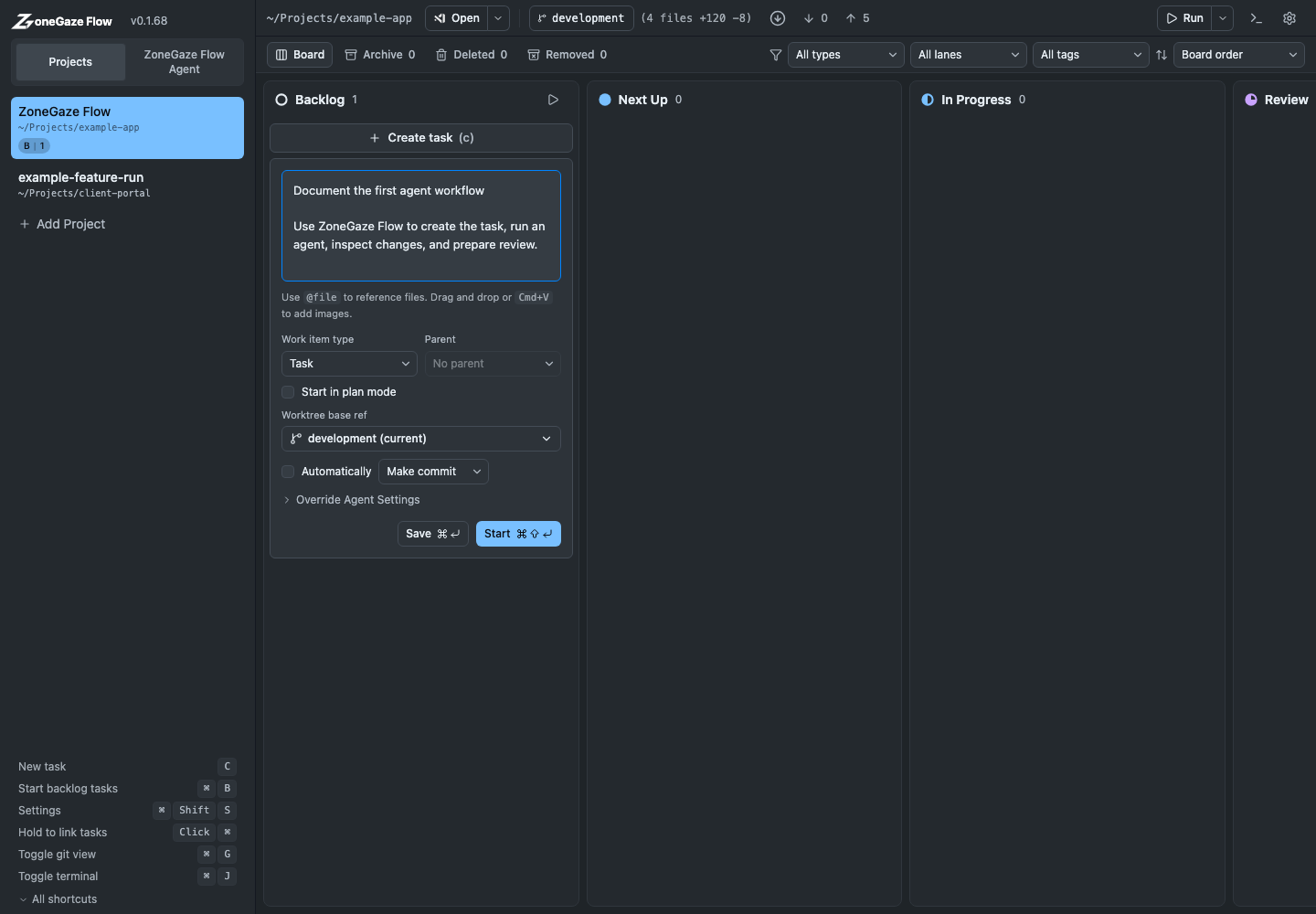
Use Start in plan mode when you want the agent to propose a plan before changing files.
5. Start And Monitor
Start the task. ZoneGaze Flow tracks the task state and keeps agent output, terminal context, and review surfaces in the same workspace.
Monitor Signals
While the task runs, watch for signals that the agent is still inside the intended lane:
- the task card state matches the actual work phase
- terminal output is still tied to the selected project
- files being read or edited match the prompt
- errors are explained before retries or code changes
- validation output is visible before the task is treated as ready
Watch the first-task walkthrough
6. Review Before Shipping
Do not treat an agent run as finished until changed files and local validation have been inspected. Use Review and ship for the full review flow.
Review Gates
Before moving the card to Done, check:
- the final diff matches the task scope
- unrelated files and generated artifacts are understood
- the validation you requested actually ran
- browser-visible changes were inspected locally when relevant
- any remaining risks, skipped checks, or follow-up work are written down
Next Steps
- Configure agents in Agent setup.
- Learn the full task lifecycle in Core workflow.
- Check platform-specific notes in Platform notes.
Leave with a concrete next action.
Each doc page should end with a command, route, verification step, screenshot, or support packet users can act on.
Do not strand the reader.
Link to the next workflow page, install guide, troubleshooting, demos, downloads, or support depending on the page topic.